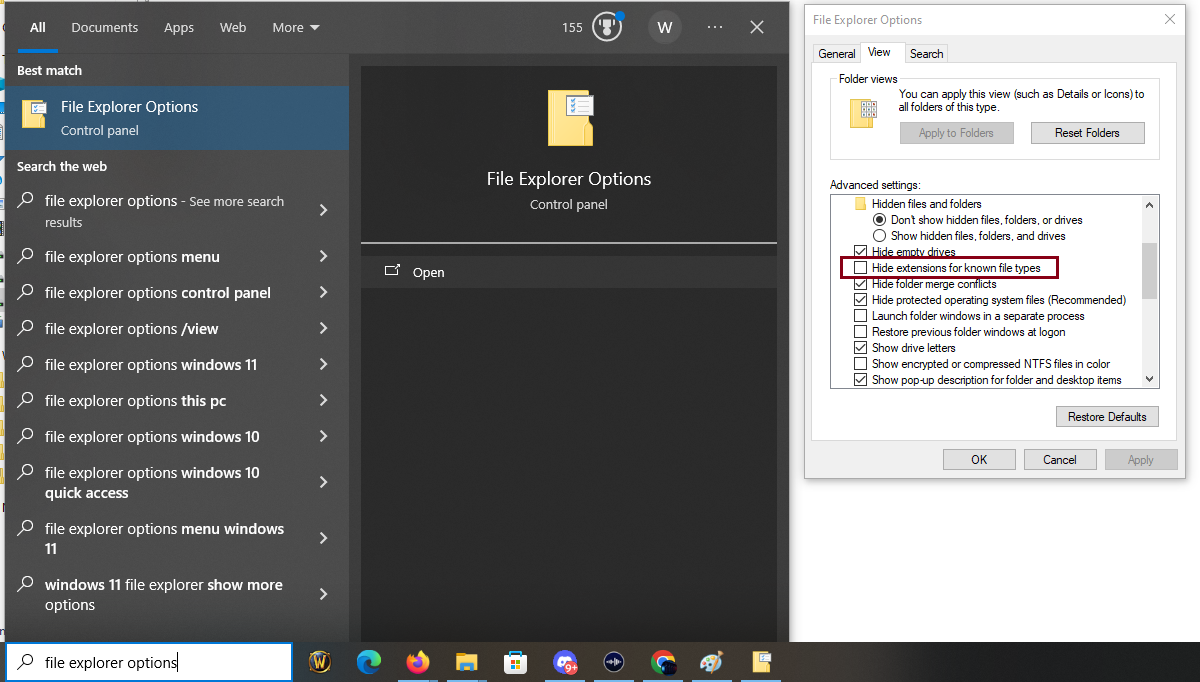
File Explorer Options example
Quick walkthrough to request your account, install the client, set your realmlist, and log into the realm.
Go to the main WoW page at /wow/ and fill out the Create Account Request form on the left.
The login name and password you enter are sent to an admin for processing. For faster activation, send Warillions a DM in Discord.
Grab the recommended client and extract it into a folder that will be your WoW install.
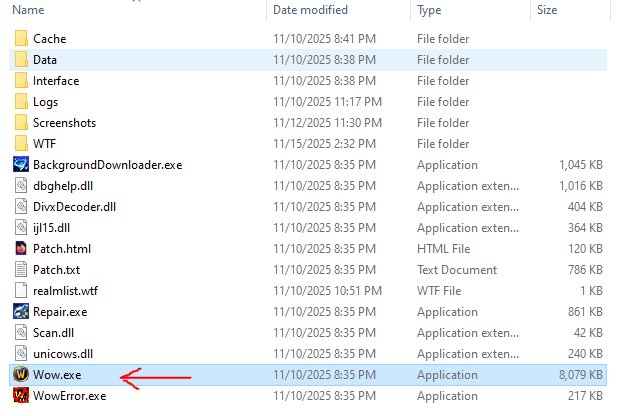
C:\Games\WoW TBC.Wow.exe from this folder whenever you play.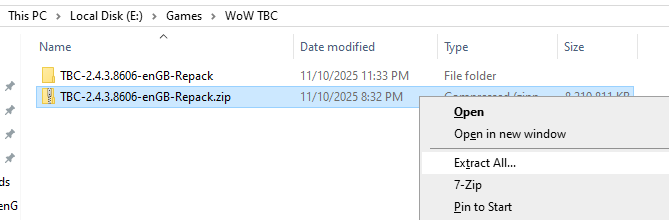
There are two ways to point your client at the War Servers realm.
realmlist.wtf.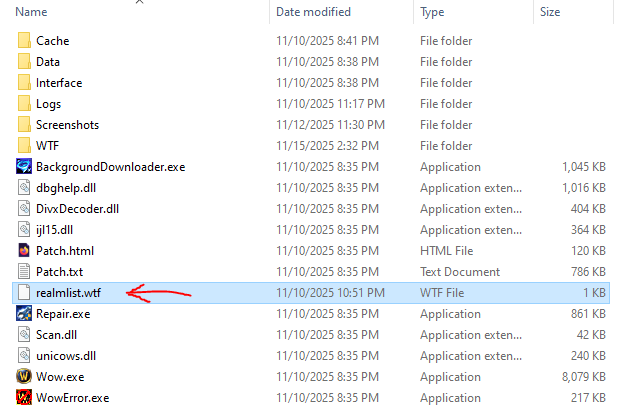
realmlist.wtf..wtf extension, turn on file extensions:
realmlist.wtf to realmlist.txt.set realmlist wow.warservers.org
realmlist.wtf.With your account active and realmlist set, you're ready to connect.
Wow.exe from your TBC 2.4.3 folder.realmlist.wtf contains only:
set realmlist wow.warservers.org
If your game is stuck in a strange resolution or won't stay in windowed fullscreen, you can use a pre-made config file.
WTF folder.config.wtf.WTF folder:
This config is tuned for 1920×1080 windowed / windowed fullscreen. If you use a different resolution, you can still change it in-game later.
Thanks for joining the War Servers WoW TBC realm. For any questions — from setup to gameplay — send Warillions a message or ask in Discord.