Login
← Home
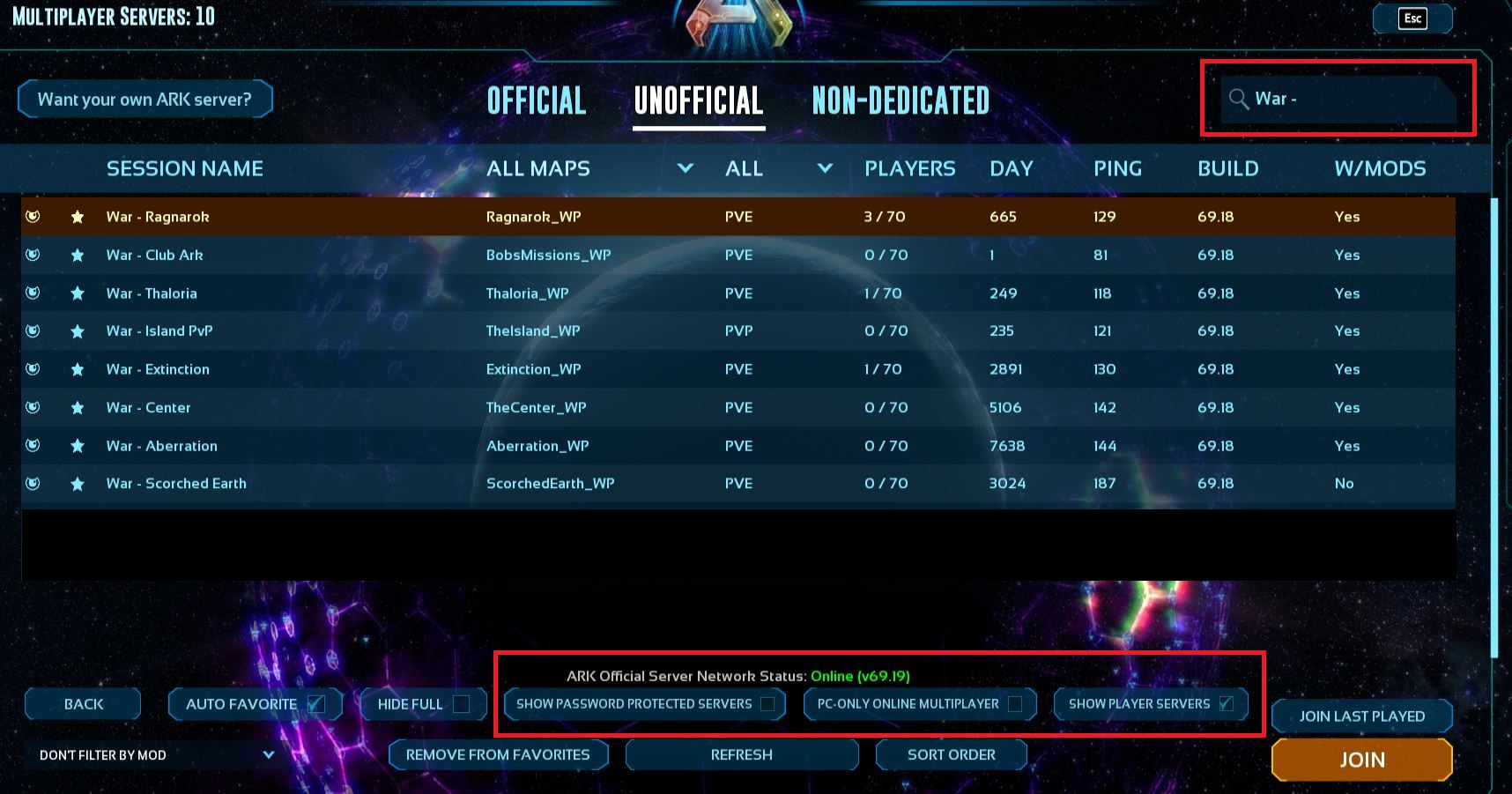
Join War Servers
Step-by-step
1
Open
Multiplayer
and select the
Unofficial
tab.
2
In the search bar, type
War -
(include the space and dash).
3
Make sure the checkboxes match exactly:
Auto Favorite
Show Player Servers
Hide Full
Show Password
PC-Only Online
4
Pay close attention to capitalization and spacing to avoid lookalike servers.
5
Click the server you want, then press
JOIN
.
Our Servers (exact names)
War - Ragnarok
War - Island PvP
War - Extinction
War - Center
War - Aberration
War - Scorched Earth
Tip: If the list looks empty, click
Refresh
in the server browser and verify the
Unofficial
tab is selected.
Visual guide:
Unofficial
tab selected • Search set to
War -
• Only
Auto Favorite
and
Show Player Servers
checked.